SitePace.ai home
SitePace.ai home

360° AI Vision That Brings the Site to You

View, analyze and verify work remotely with AI powered clarity.

What Is SitePace.ai 360° Capture?

SitePace.ai 360° Capture records your site as you walk it. A team member wears a 360° camera, and each capture is pinned to the floor plan by date. Your team can revisit any area remotely, compare dates and track progress without travelling to site.

Inside the SitePace 360° Viewer

Walk it again. From anywhere.

What every capture gives your team in the SitePace app today.
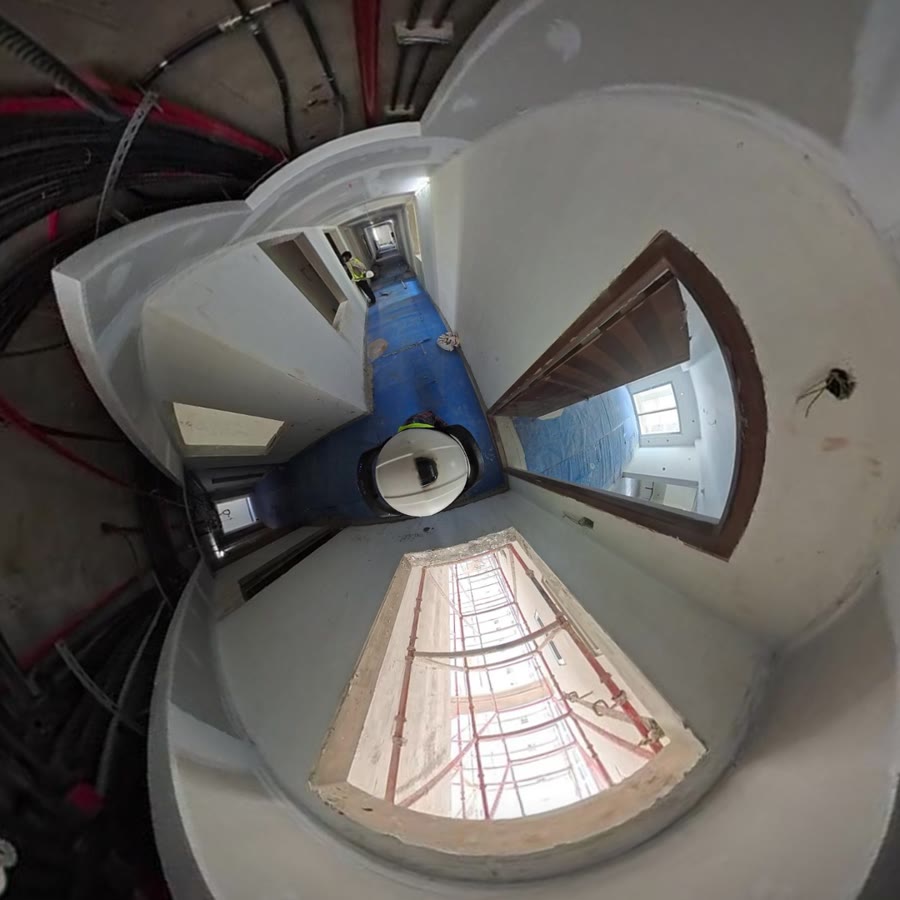
  • A real SitePace 360° capture of an apartment floor shown as a full sphere
    360° Capture

    Every Angle, Every Floor

    One walk with a 360° camera on your helmet records the floor you walk, ceiling to slab.
    • Hands free capture during a normal site round
    • Offline capture, uploaded when you are back online
    • Dated history for every floor
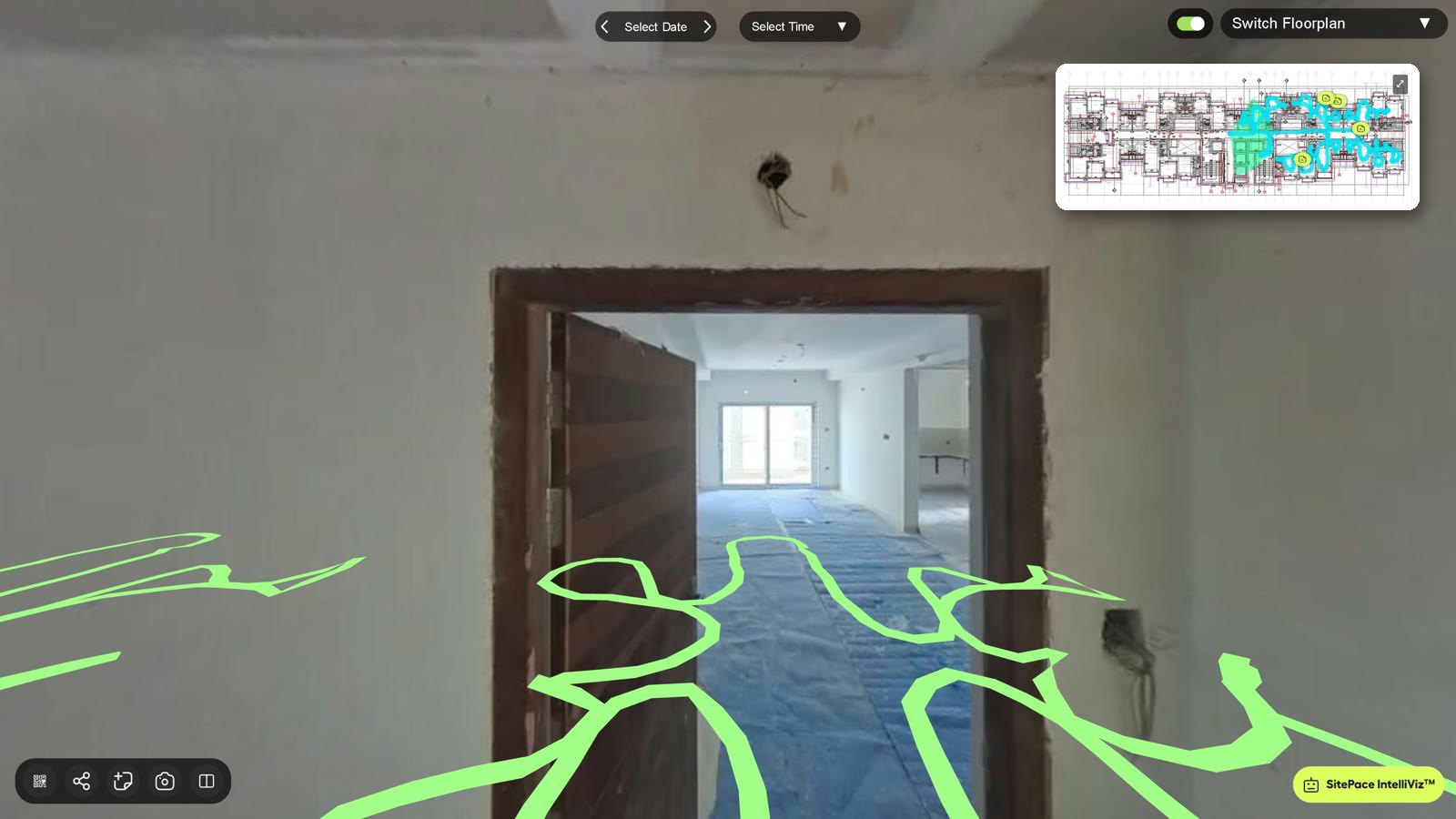
  • SitePace 360° viewer with the walked route drawn on the floor and the floor plan minimap
    Navigation

    Navigation Line and Minimap

    Your walked route appears in the 360° view and on the floor plan, so you always know where you are.
    • Click the route or any room on the plan to jump there
    • Switch floor, date and time in the viewer
    • Autoplay the walk hands free, or view it in a VR headset
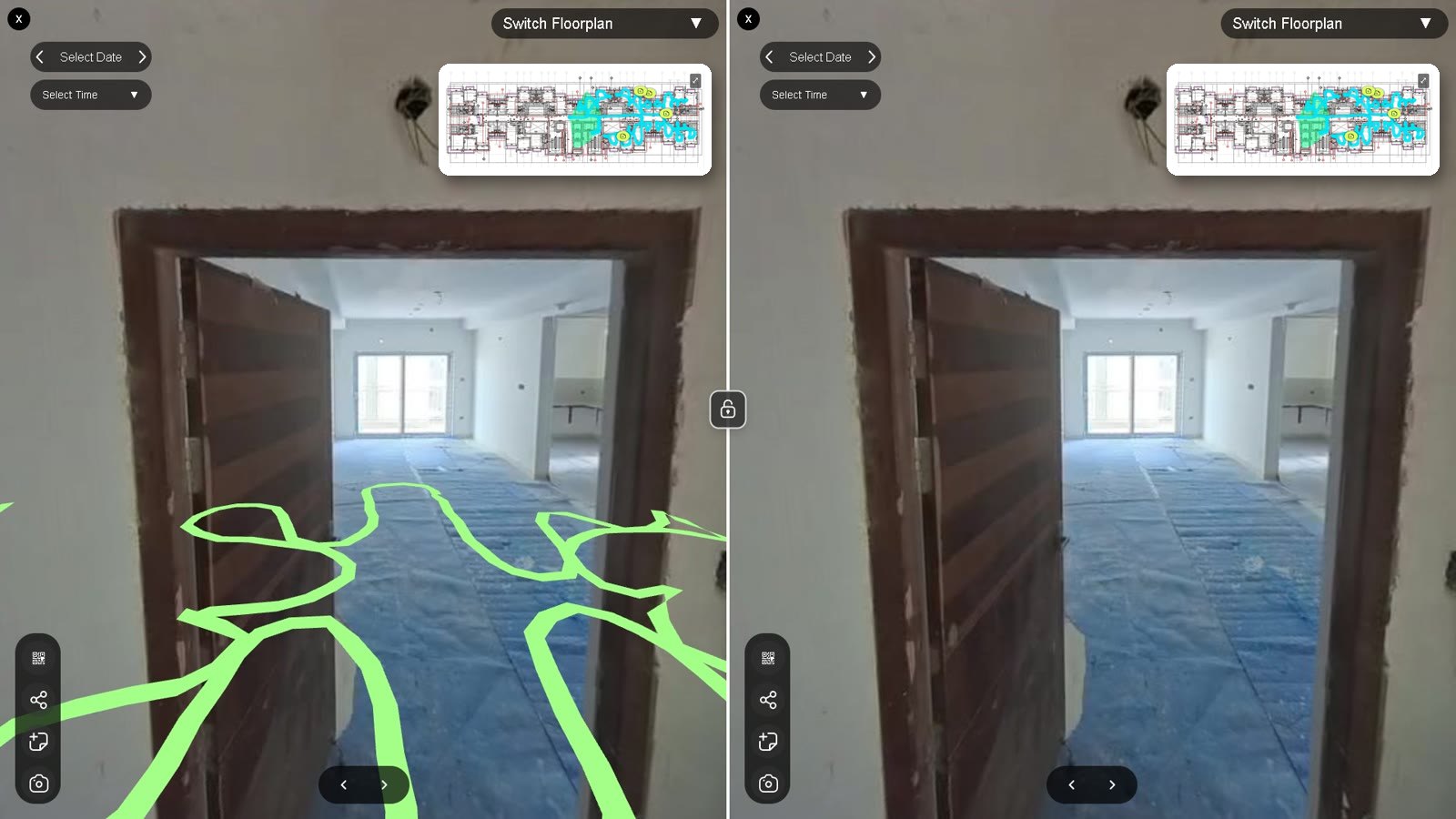
  • SitePace Compare Views split screen with two synced 360° panes
    Compare Views

    Two Dates, Side by Side

    A synced split screen shows the same position on two dates, so changes are obvious at a glance.
    • Independent date and time per pane
    • Lock both views to look around together
    • Add notes or screenshots from either side
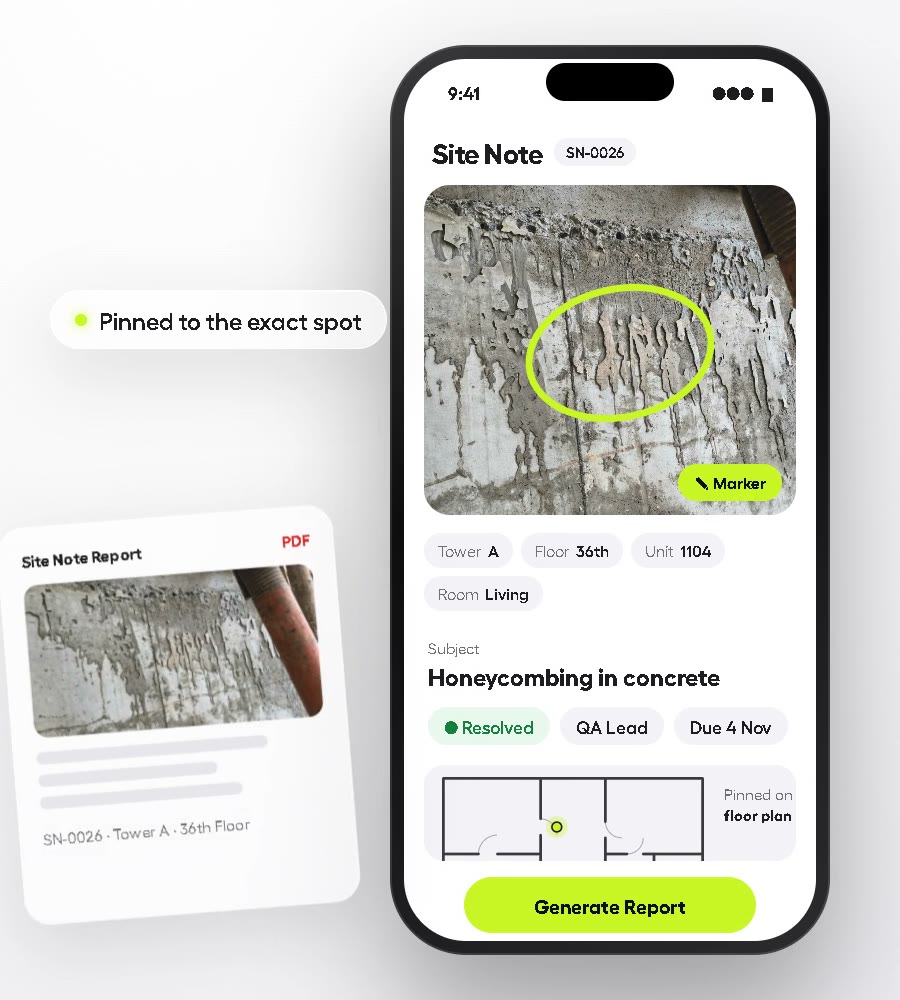
  • SitePace Site Note with location, marker annotation, status and Generate Report
    Site Notes

    Pin It. Assign It. Close It.

    Raise a note from inside the 360° view and it is pinned to the exact spot on the plan.
    • Tower › Floor › Unit › Room location on every note
    • Photos with markup, comments and activity
    • Statuses: Open, In Progress, Dispute, Resolved. Priority: High or Low.
    • PDF report and View in Location, one tap each
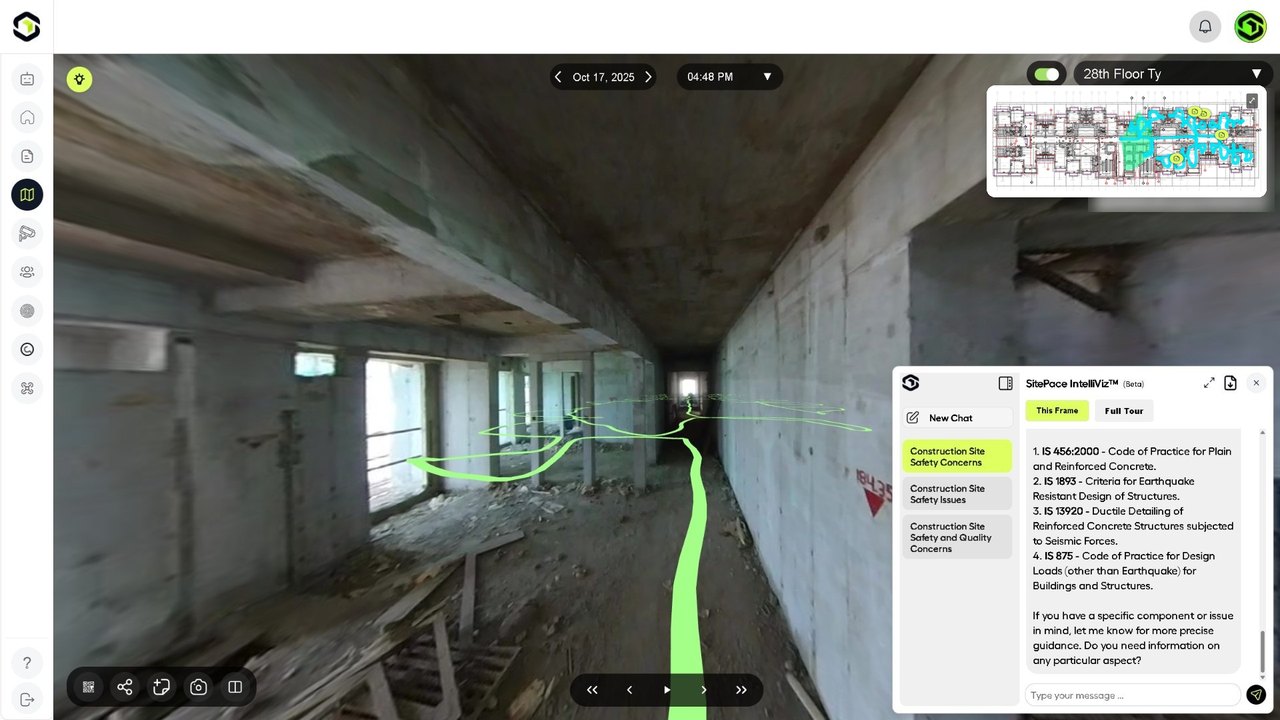
  • SitePace IntelliViz assistant panel open beside a 360° capture
    AI Assistant

    IntelliViz™: Talk to Your Site

    An AI assistant that answers your questions about the site, by text or voice.
    • Ask by text or voice
    • Opens beside the 360° view you are looking at
    • A separate chat for each topic
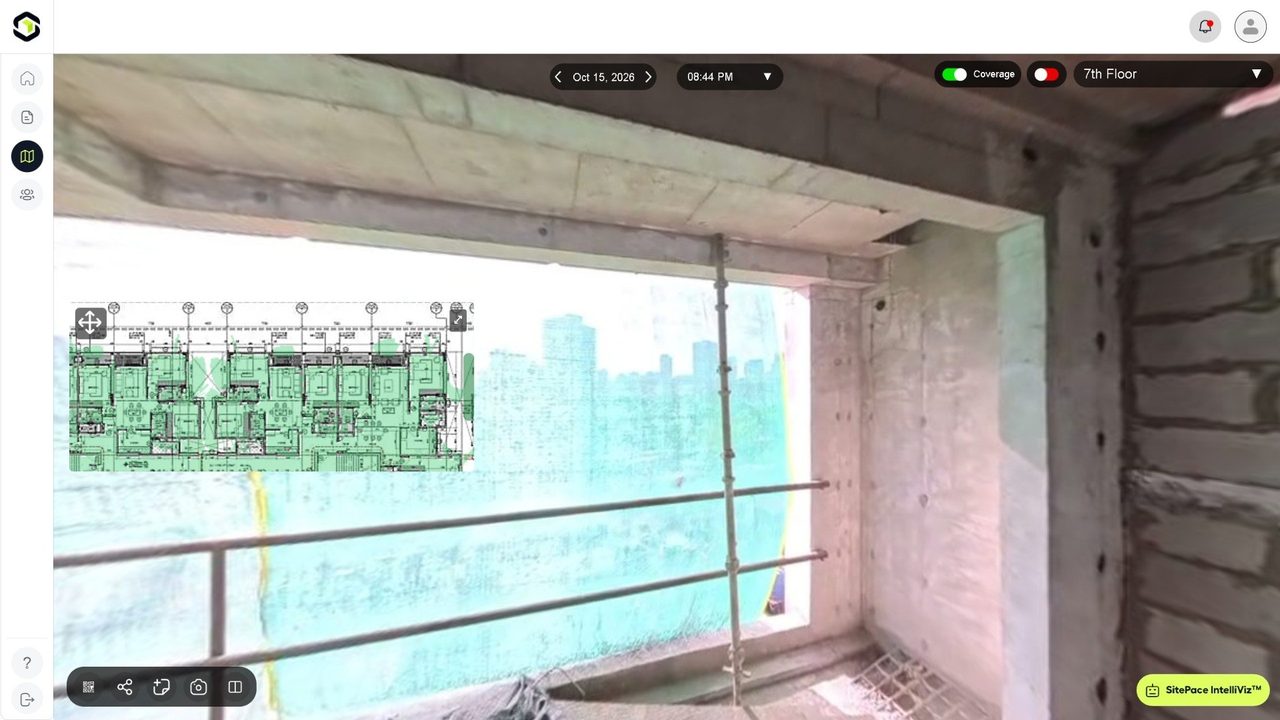
  • SitePace Coverage view highlighting the captured areas on the floor plan
    Coverage

    Coverage View

    Turn on Coverage to see exactly which areas each walk captured and spot any gaps.
    • Captured areas highlighted on the floor plan
    • Find missed rooms before the next walk
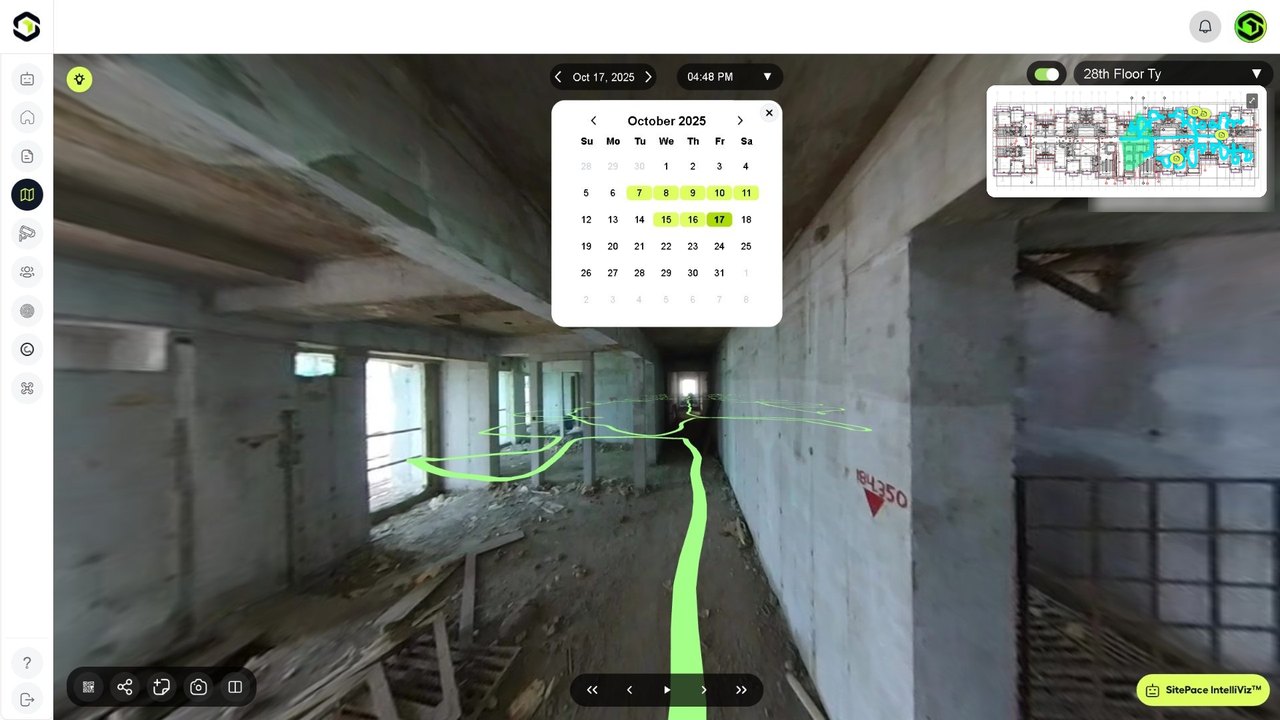
  • SitePace calendar picker showing the dates with captures for a floor
    Timeline

    Calendar Timeline

    Choose a floor, a date and a time to see the site exactly as it was captured.
    • Capture history per floor and tower
    • Jump between dates without leaving the viewer
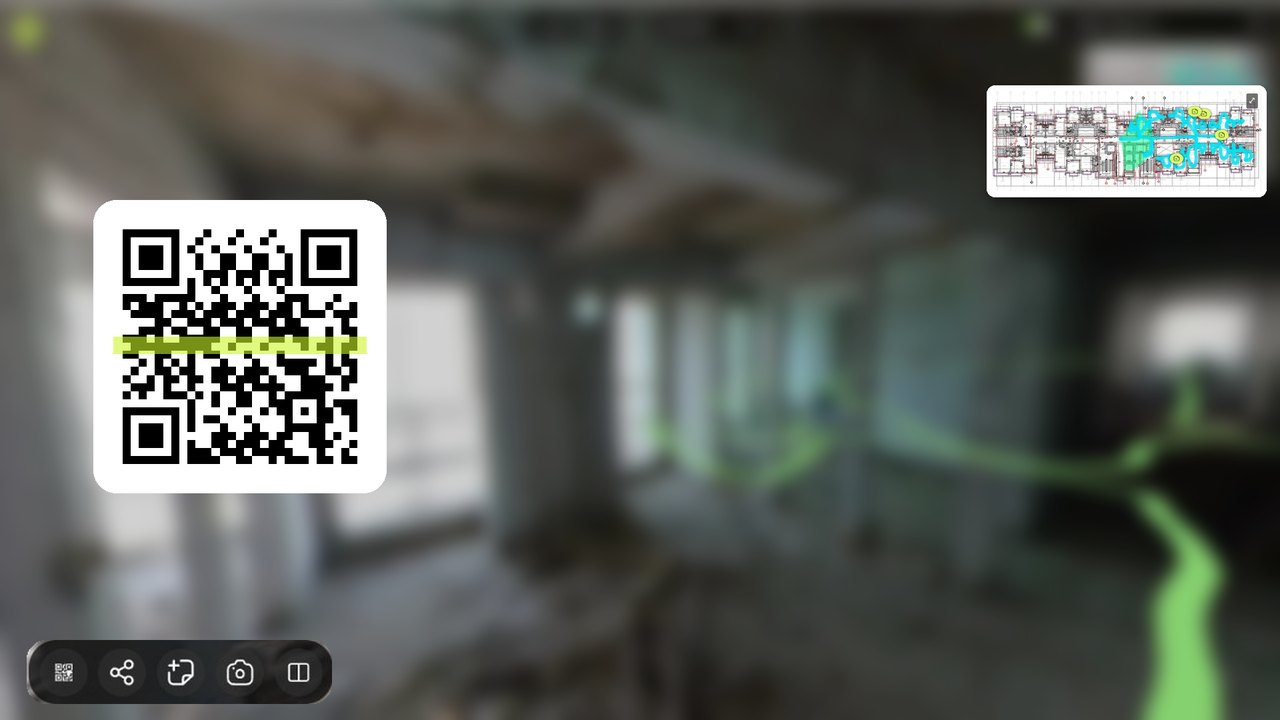
  • SitePace viewer showing a QR code that opens this location
    Share

    QR Codes, Links and Screenshots

    Share a view with consultants or clients without giving them the whole project.
    • QR code per flat for instant access on site
    • Share links straight to a location
    • Screenshot and markup from the viewer
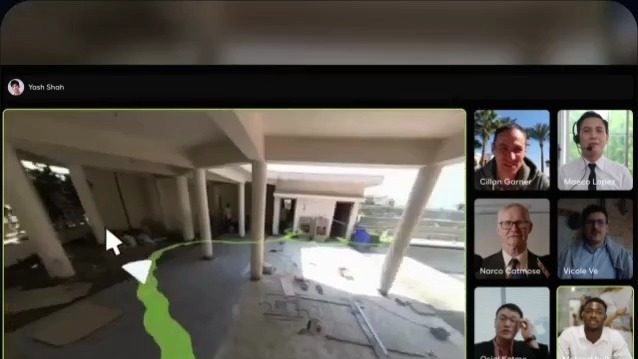
  • SitePace Virtual Site Meet with the live site view beside the meeting participants
    Live

    Live 360° Stream and Virtual Site Meet

    Stream the site in 360° and meet your team on site, remotely.
    • Live 360° broadcast from site
    • Walk the site together in Virtual Site Meet
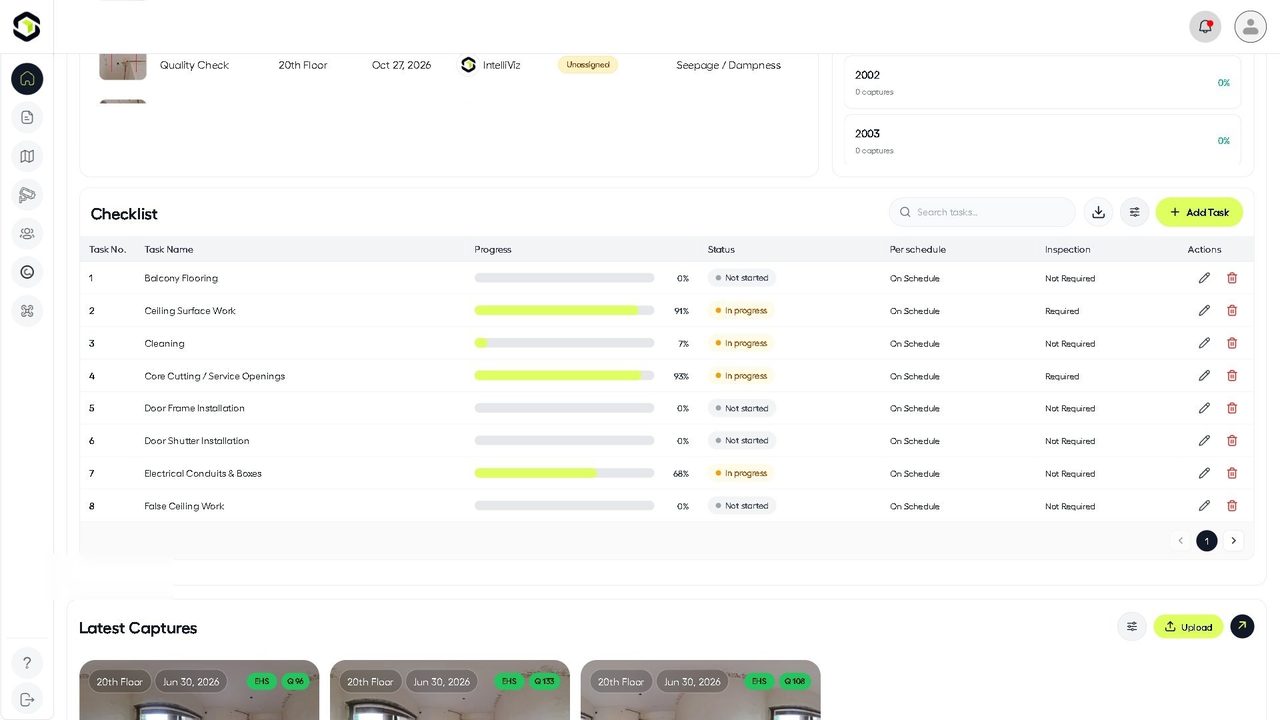
  • SitePace project view with the floor checklist, progress bars and latest captures
    Dashboard

    Project Dashboard

    Every project at a glance: progress, towers, active Site Notes, capture count and team.

    • Progress by tower and floor
    • Active Site Notes and checklists
    • Collaborators and roles per project

Why It Matters

Benefits That Deliver

Complete Visual Documentation

Complete Visual Documentation

Capture every angle of the site for a dated, transparent visual record of the site.

Instant Remote Walkthroughs

Instant Remote Walkthroughs

Allow teams, consultants and clients to inspect the site virtually anytime.

SitePace product overview
Faster Issue Detection

Faster Issue Detection

Identify defects, safety gaps and deviations early using immersive visuals.

Progress Comparison Over Time

Progress Comparison Over Time

Compare past and present 360° captures to validate work completion and timelines.

SitePace.ai

“If the whole construction project can be shown digitally and made available at your fingertips, the possibilities are immense.”

Products

© 2026 Walktheprop Pvt. Ltd. All rights reserved.

Privacy Policy

|

Terms & Conditions

|

Cookie Policy

|

Trust & Security

|

scroll down